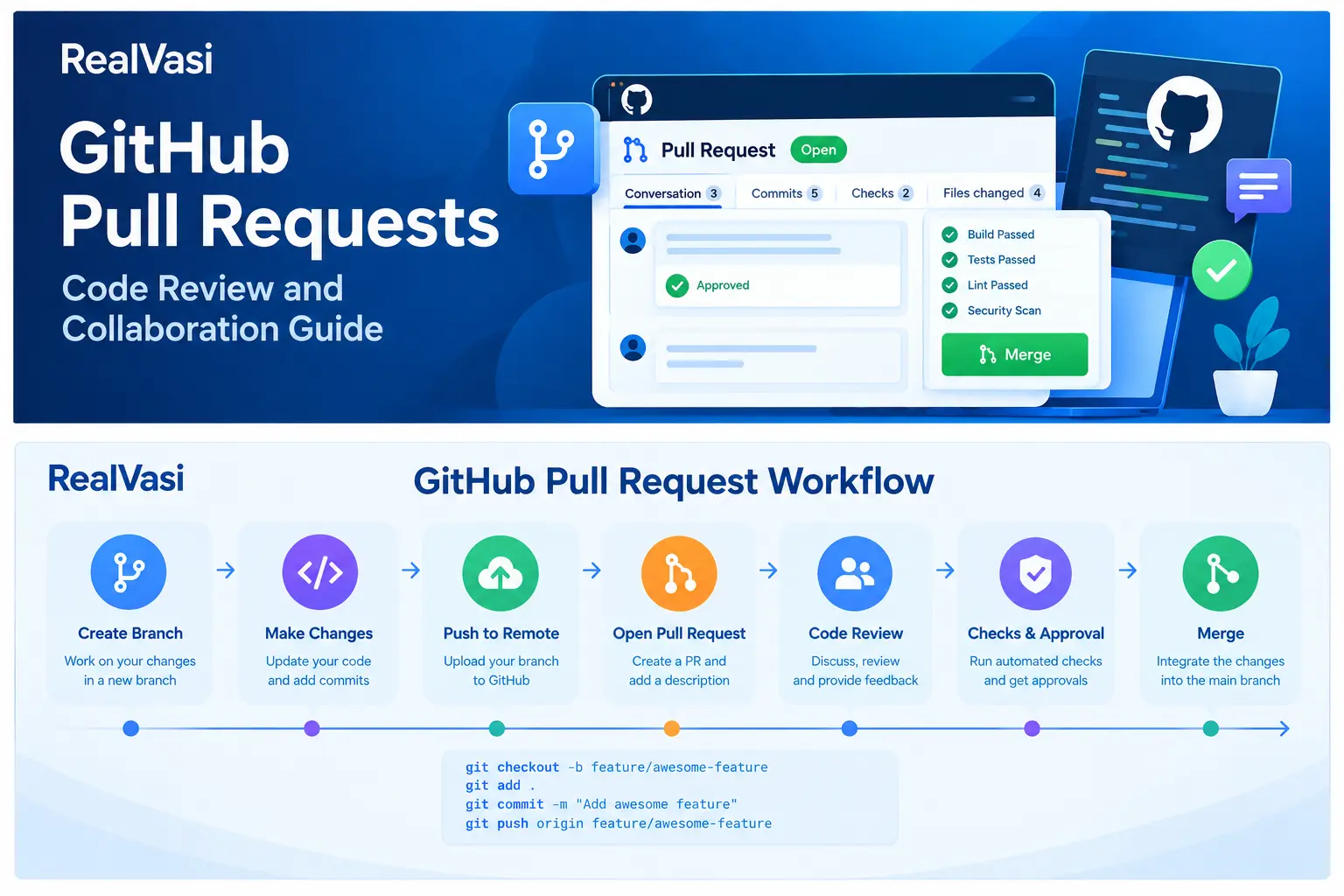
GitHub Pull Requests
A Pull Request, commonly abbreviated as PR, is a GitHub mechanism for proposing changes from one branch to another and allowing those changes to be reviewed before they are merged.
In a typical development workflow, a developer works on a separate branch, commits the changes, pushes the branch to GitHub, and then creates a pull request.
The pull request provides a structured place where the team can:
- Review the proposed changes
- Discuss implementation decisions
- Run automated checks
- Identify potential problems
- Request modifications
- Approve the changes
- Merge the completed work
Feature Branch
↓
Commits
↓
Push to GitHub
↓
Pull Request
↓
Review + Checks
↓
Merge
The important idea is that a pull request creates a controlled point between development and integration.
Why Are Pull Requests Important?
Without a review mechanism, a developer could potentially make changes directly to an important shared branch.
Developer
↓
main
↓
Production Code
A pull-request-based workflow introduces an additional review stage:
Developer
↓
Feature Branch
↓
Pull Request
↓
Review + Checks
↓
main
This gives the development team an opportunity to evaluate the proposed change before it becomes part of the shared codebase.
GitHub Pull requests can improve:
- Code quality
- Collaboration
- Knowledge sharing
- Development transparency
- Risk management
- Consistency of the codebase
Pull Requests and Branches
GitHub Pull requests are closely connected to branches. A developer normally creates a branch for a feature, bug fix, or other meaningful piece of work.
For example:
main
│
└── feature/customer-search
The developer works on the feature branch:
feature/customer-search
│
├── Commit 1
├── Commit 2
└── Commit 3
When the work is ready, the developer creates a pull request asking the team to review the changes and, if appropriate, merge them into the target branch.
feature/customer-search
↓
Pull Request
↓
main
This separation allows development to continue independently while the proposed changes are evaluated.
What Happens in a Pull Request?
A typical pull request may go through several stages:
Create Branch
↓
Develop
↓
Commit Changes
↓
Push Branch
↓
Open Pull Request
↓
Automated Checks
↓
Code Review
↓
Address Feedback
↓
Approval
↓
Merge
Not every project follows exactly the same sequence. Some teams may run automated checks immediately when the pull request is opened. Others may have additional approval requirements or security checks. The workflow should reflect the project’s development process.
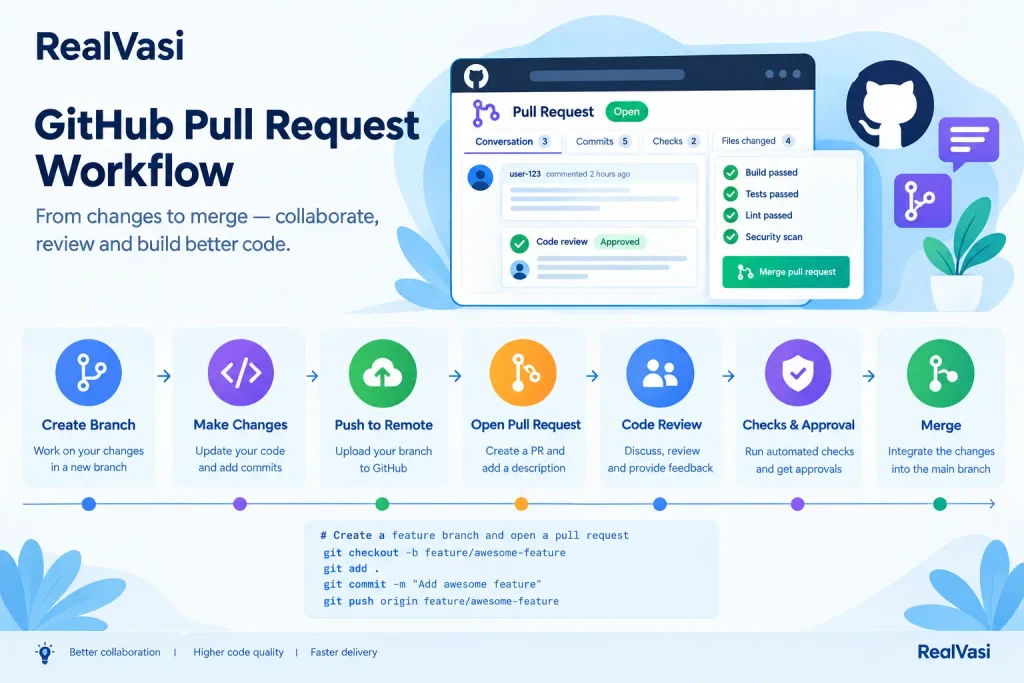
Creating a Pull Request
A typical process begins after the developer has completed enough work on a feature or fix.
- Create branch — feature/product-search
- Implement changes
- Create commits
- Push branch to GitHub
- Open pull request
- Describe the change
- Request reviewers
The pull request then becomes the central place for the proposed change. The developer should provide enough context for reviewers to understand what is being changed and why.
What Should a Pull Request Description Contain?
A useful pull request should make the change reasonably easy to understand. Depending on the project, the description may include:
- What was changed
- Why the change was required
- How the change was implemented
- What testing was performed
- Any known limitations
- Anything that reviewers should pay particular attention to
For example:
## What changed?
Added product search with filtering.
## Why?
Customers need to find products more efficiently.
## Implementation
Added a search API and frontend search interface.
## Testing
Added unit tests and tested the search workflow locally.
## Notes
Pagination will be addressed in a future enhancement.
The exact format can vary between teams. The objective is to provide useful context without forcing reviewers to reconstruct the entire purpose of the change from the code alone.
Code Review
Code review is one of the most important activities associated with pull requests. Reviewers examine the proposed implementation and provide feedback before the change is merged.
A review may consider:
- Correctness
- Readability
- Maintainability
- Performance
- Security
- Error handling
- Test coverage
- Compatibility with existing functionality
For example, a reviewer may notice:
- “Does this handle an empty search value?”
- “Is this database query efficient?”
- “Do we need a test for this error condition?”
- “Could this expose sensitive information?”
- “Does this change affect existing functionality?”
The goal is not simply to find mistakes. Code review can also help share technical knowledge and maintain consistent engineering standards across a team.
Pull Request Comments and Discussions
A pull request provides a shared context for discussing the proposed implementation. Instead of having technical discussions in disconnected communication channels, reviewers can leave feedback directly against the proposed change.
Developer
↓
Pull Request
↓
Reviewer Comment
↓
Developer Response
↓
Code Update
↓
Additional Commit
↓
Review Again
This creates a useful historical record around the change. Future developers can often understand not only what was changed but also some of the reasoning behind the implementation.
Addressing Review Feedback
A pull request is not necessarily approved on its first review. A reviewer may request changes.
Pull Request
↓
Code Review
↓
Changes Requested
↓
Developer Updates Code
↓
New Commit
↓
Review Again The developer can then push additional commits to the same branch. The pull request is updated automatically with those changes. This allows the discussion and implementation to remain connected to the same proposed change.
Pull Requests and Automated Checks
GitHub Pull requests can also trigger automated development workflows. For example, when a pull request is opened, the project may automatically:
- Install dependencies.
- Run unit tests.
- Perform code-quality checks.
- Run security scans.
- Build the application.
The results can then become part of the review process.
Pull Request
↓
┌───────────────┐
│ Automated │
│ Checks │
└───────────────┘
↓
Tests / Lint /
Build / Security
↓
Review Results
GitHub Actions is one of the mechanisms that can provide this automation. The detailed architecture and configuration of GitHub Actions are covered in the dedicated GitHub Actions section later in this guide.
Required Checks and Approvals
Teams can establish requirements before a pull request can be merged into an important branch.
Pull Request
↓
Required Review
↓
Automated Tests
↓
Security Checks
↓
Required Approvals
↓
Merge
A team may require one or more reviewers to approve a change. It may also require automated checks to pass before merging. These requirements can reduce the risk of incomplete or unreviewed changes entering important branches. The exact requirements should depend on the project’s risk, team structure, and development process.
Pull Requests and Protected Branches
GitHub Pull requests become particularly useful when important branches are protected.
Developer
↓
Feature Branch
↓
Pull Request
↓
Required Review
↓
Automated Checks
↓
Protected main
Instead of allowing unrestricted direct changes to main, the team can establish a controlled process around how changes reach the branch. This provides an additional layer of protection for important code. The working draft recommends appropriate protection for important branches and describes requirements such as pull requests, approvals, successful automated checks, and resolved review conversations.
Draft Pull Requests
Sometimes a developer wants to start a discussion or obtain early feedback before the implementation is completely finished. A draft pull request can be useful in such situations.
Early Development
↓
Draft Pull Request
↓
Early Feedback
↓
Continue Development
↓
Ready for Review
↓
Merge
This can be useful for larger or more complex changes where early feedback can prevent a developer from moving too far in an unsuitable direction. However, draft pull requests should not replace normal development planning or communication.
Pull Request Size Matters
A very large pull request can be difficult to review.
Small PR
── Feature
└── Tests
Easy to understand
Large PR
── Feature A
── Feature B
── Refactoring
── Dependency changes
── Configuration changes
└── Unrelated fixes
Difficult to review
Keeping changes reasonably focused can make code review more effective. This does not mean every pull request must be tiny. A large feature may naturally require significant changes. The goal is to avoid combining unrelated work simply because it happens to be available in the same branch.
Pull Requests and Commits
Commits and GitHub pull requests serve different purposes. A commit records a change in Git history. A pull request proposes a collection of changes for review and integration.
Feature Branch
│
├── Commit 1
├── Commit 2
├── Commit 3
└── Commit 4
│
↓
Pull Request
↓
Review + Checks
↓
Merge
This distinction is important: A commit records work; a pull request provides a collaborative process around that work.
Pull Requests and Issues
In many development teams, a pull request is associated with an issue or requirement.
Issue #125
“Add product search”
↓
feature/product-search
↓
Commits
↓
Pull Request
↓
Review
↓
Merge
This creates traceability between the requested work and the implementation.
A team can then more easily answer:
- What requirement caused this change?
- Which branch implemented it?
- Who reviewed it?
- Which tests were performed?
- When was it merged?
The exact issue and project-management workflow varies between teams, but connecting development work to its underlying requirement can provide valuable context.
A Complete Pull Request Workflow
Putting the concepts together, a practical team workflow can look like:
Issue / Requirement
↓
Create Feature Branch
↓
Implement Changes
↓
Create Focused Commits
↓
Push Branch
↓
Open Pull Request
↓
Run Automated Checks
↓
Review Code
↓
Address Feedback
↓
Additional Commits
↓
Required Approvals
↓
Merge
↓
Delete Completed Branch
This workflow provides separation between development and important branches while creating opportunities for testing, review, and quality checks.
Real-World Example
Consider a team developing an e-commerce application. A developer receives a requirement to add a new product-search feature.
- Create a branch — feature/product-search
- Develop the feature — The developer implements the search API and frontend functionality.
- Create commits — Add product search API; Add search filters; Add product search interface; Add search tests.
- Push the branch — The developer publishes the branch to the team’s GitHub repository.
- Open a pull request — The developer creates a pull request asking the team to review the implementation.
- Automated checks run — The repository may automatically run linting, unit tests, build, and security checks.
- Team reviews the changes — Reviewers examine the implementation and provide feedback.
- Address feedback — The developer makes the required changes and pushes additional commits.
- Merge — After the required reviews and checks are completed, the changes can be merged into the appropriate branch.
This example demonstrates how repositories, branches, commits, GitHub pull requests, code review, and automated checks work together as a practical GitHub development workflow.
Common Pull Request Mistakes
Several practices can make GitHub pull requests harder to review.
- Vague descriptions — A description such as “Updated code” provides very little useful context.
- Mixing unrelated changes — Combining a new feature, unrelated bug fixes, formatting changes, and dependency upgrades can make review difficult.
- Skipping tests — A pull request should ideally provide evidence that the proposed change has been tested appropriately for the project.
- Ignoring reviewer feedback — Review comments should be considered carefully rather than automatically dismissed.
- Making enormous GitHub pull requests unnecessarily — Large changes can take significantly more effort to understand and review.
- Treating approval as a formality — Code review should be a meaningful engineering activity rather than simply a checkbox required before merging.
Pull Request Best Practices
A practical pull request should generally:
- Have a clear purpose.
- Explain what changed.
- Explain why it changed.
- Keep unrelated work separate.
- Include appropriate tests.
- Provide enough context for reviewers.
- Respond to review feedback.
- Pass required automated checks.
- Follow the project’s contribution and branching conventions.
- Avoid exposing sensitive information.
- Remain reasonably focused.
These practices help make GitHub pull requests useful to both developers and reviewers.
Pull Requests as a Knowledge Record
A good pull request can preserve valuable technical context. Over time, the repository may contain a history of:
Requirement
↓
Implementation
↓
Discussion
↓
Review
↓
Changes
↓
Approval
↓
Integration
This can help future developers understand not only what changed but also some of the reasoning behind the change.
For this reason, GitHub pull requests should be treated as part of the project’s engineering history rather than merely as a mechanism for clicking “Merge.”
Key Takeaway
A pull request provides a structured way to propose, review, discuss, validate, and integrate changes into a GitHub repository.
Branch
↓
Changes
↓
Commits
↓
Push
↓
Pull Request
↓
Review + Automated Checks
↓
Feedback
↓
Approval
↓
Merge
The key distinction is:
- Git records and manages the project’s version history.
- Branches provide independent development lines.
- Commits record changes.
- Pull requests provide a collaborative review and integration process around those changes.
Used effectively, GitHub pull requests can improve code quality, collaboration, transparency, and the reliability of the development process.
With repositories, branches, commits, and pull requests now established, the next major capability to understand is how GitHub can automate testing, validation, builds, security checks, and deployment workflows.
That brings us to GitHub Actions.