GitHub Actions
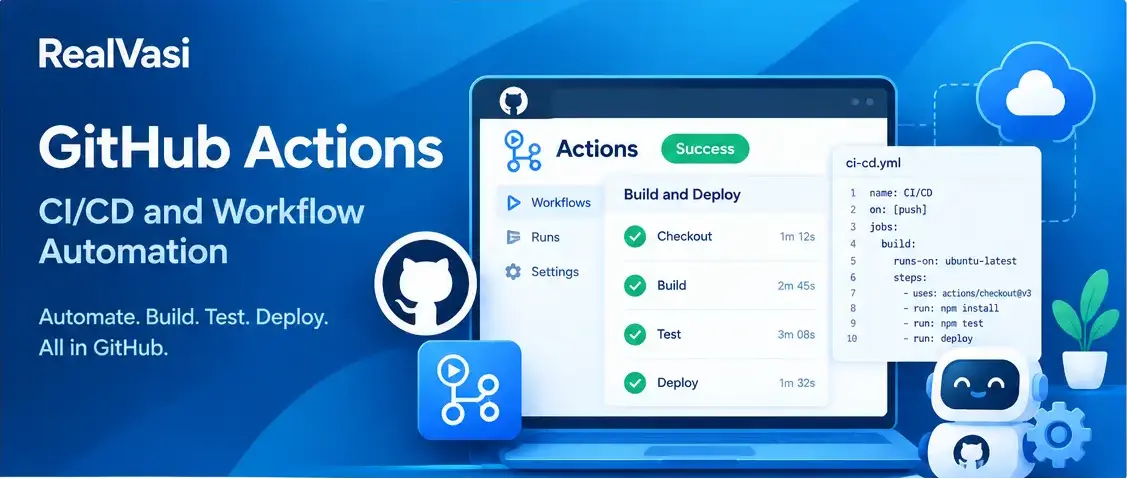
GitHub Actions is GitHub’s workflow automation capability for automating tasks associated with software development.
It can automate activities such as:
- Running tests
- Building applications
- Checking code quality
- Performing security checks
- Packaging software
- Deploying applications
- Running scheduled maintenance tasks
- Responding to repository events
Instead of manually performing these activities every time code changes, teams can define workflows that execute automatically based on configured events or schedules.
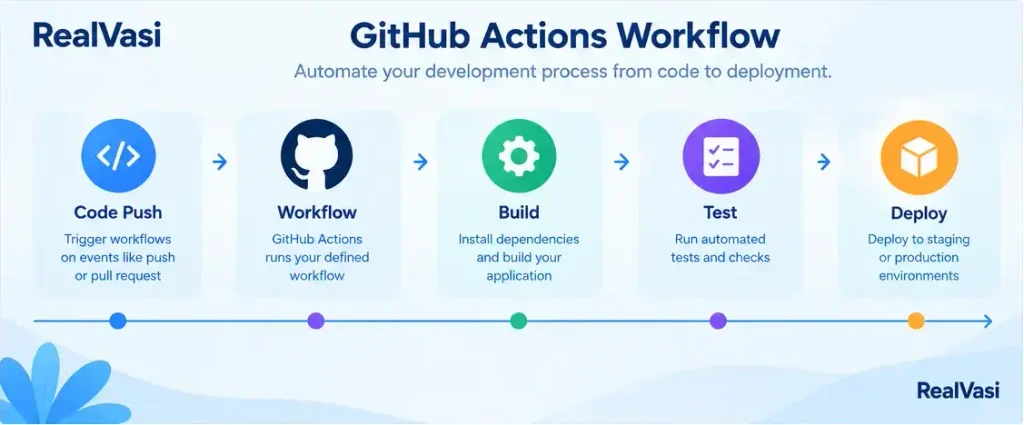
Code Change
↓
GitHub Actions
↓
Run Tests
↓
Perform Checks
↓
Build Application
↓
Deploy
This allows automation to become part of the normal development workflow.
Why GitHub Actions Matters
Consider a team that manually performs the following activities whenever a developer submits a change:
Pull Code
↓
Install Dependencies
↓
Run Tests
↓
Run Linting
↓
Build Application
↓
Package Application
↓
Deploy
Repeating these activities manually can consume time and can also introduce inconsistencies. GitHub Actions allows the team to define these processes as workflows so that the same steps can be executed repeatedly. The goal is not simply to automate everything. The goal is to automate repeatable activities that provide reliable and useful feedback or delivery.
How GitHub Actions Works
A GitHub Actions workflow is an automated process defined for a repository. A workflow specifies:
- When it should run
- What work it should perform
- Where that work should execute
Pull Request Created
↓
Workflow Starts
↓
Install Dependencies
↓
Run Tests
↓
Run Quality Checks
↓
Build Application
↓
Report Results
Workflows can respond to repository events such as code pushes or pull requests. They can also be configured to run manually or according to a schedule when the project requires it.
Workflows, Jobs, and Steps
GitHub Actions organizes automation into several related concepts.
Workflow — A workflow is the overall automated process.
Pull Request Workflow
↓
Test Check Build
Job — A workflow can contain one or more jobs. A job represents a unit of work that needs to be executed.
Workflow
│
├── Test Job
├── Build Job
└── Security Job
Jobs can run independently or can be configured with dependencies when one job needs another job to complete first.
Step — A step is an individual operation performed within a job.
Test Job
│
├── Checkout Code
├── Install Dependencies
├── Run Tests
└── Report Results
The relationship can therefore be visualized as:
Workflow
↓
Jobs
↓
Steps
Runners
A runner is the machine that executes a GitHub Actions job. GitHub Actions can use:
- GitHub-hosted runners
- Self-hosted runners
GitHub-hosted runners are managed by GitHub for executing workflow jobs. Self-hosted runners are managed by the organization and can be useful when workflows require particular hardware, software, internal network access, or customized environments.
The choice between them depends on factors such as:
- Security
- Infrastructure management
- Network access
- Maintenance
- Performance
- Cost
For many projects, GitHub-hosted runners provide a convenient starting point. More specialized environments may require self-hosted infrastructure.
GitHub Actions and CI/CD
One of the most common uses of GitHub Actions is implementing Continuous Integration (CI) and Continuous Delivery or Deployment (CD).
Continuous Integration
Continuous Integration involves regularly integrating code changes and automatically validating them through processes such as builds and tests.
Developer Pushes Code
↓
GitHub Actions Starts
↓
Install Dependencies
↓
Build Application
↓
Run Tests
↓
Report Result
If a test fails, the development team can investigate the problem before the change progresses further through the development workflow. This provides faster feedback than waiting until someone manually tests the application later.
Continuous Delivery and Deployment
GitHub Actions can also automate delivery and deployment activities.
Build Application
↓
Run Tests
↓
Create Deployment Package
↓
Deploy
The deployment target depends on the project’s architecture. It might be:
- A cloud platform
- A container environment
- A package repository
- Another supported deployment destination
This connects source-code changes with repeatable software delivery processes.
GitHub Actions Beyond CI/CD
Although CI/CD is one of the most common uses, GitHub Actions is not limited to application builds and deployments. Teams can also automate activities such as:
- Adding labels to newly created issues
- Running scheduled maintenance
- Generating or publishing project artifacts
- Performing automated checks
- Responding to repository events
- Executing scripts
- Supporting parts of a release process
Scheduled Event
↓
GitHub Actions
↓
Maintenance Task
↓
Generate Report
GitHub Actions and Pull Requests
GitHub Actions can work closely with pull requests.
Pull Request Opened
↓
GitHub Actions
↓
Install Dependencies
↓
Run Linting
↓
Run Unit Tests
↓
Build Application
↓
Report Results
The development team can then review both the code and the automated validation results before deciding whether the changes are ready to merge. This connects source control, pull requests, automated validation, and code review. The working project material uses this exact type of React and Node.js workflow as a practical example.
GitHub Actions and Security
Automation can have access to important project resources. A workflow may interact with:
- Source code
- Credentials
- Deployment environments
- Cloud infrastructure
- Packages
- Internal systems
For this reason, automation must be designed with security in mind. Teams should consider:
- Keeping workflow permissions as restrictive as practical
- Protecting credentials and sensitive information
- Reviewing third-party actions before using them
- Maintaining action versions and dependencies
- Avoiding unnecessary workflow executions
- Monitoring workflow failures
- Choosing appropriate runners
- Separating testing, build, and deployment responsibilities where appropriate
A simple principle is: Automation should have only the access it actually needs. Credentials should not be embedded directly into workflow files or source code. Instead, projects should use appropriate secret-management mechanisms. GitHub’s broader security capabilities are discussed later in the GitHub Security Features section.
Benefits of GitHub Actions
Automation — Repetitive development activities can run automatically instead of being performed manually each time.
Faster Feedback — Automated tests and validation can provide feedback shortly after changes are submitted.
Consistent Processes — Development and deployment procedures can be defined as code, helping the same process execute consistently.
Integration with GitHub — Because workflows are associated with the repository, automation can connect closely with branches, commits, pull requests, and releases.
Flexible Execution — Teams can use GitHub-hosted or self-hosted runners depending on their requirements.
Reusable Automation — Existing actions can be reused across workflows, and teams can also create project-specific automation when necessary.
Things to Consider Before Automating
GitHub Actions is powerful, but automation itself needs maintenance. A workflow can become difficult to manage if it grows unnecessarily complex.
Simple Workflow
Push
↓
Test
↓
Build
More Complex Workflow
Push
↓
Test
↓
Security Scan
↓
Dependency Check
↓
Build
↓
Package
↓
Environment Selection
↓
Approval
↓
Deployment
↓
Post-Deployment Checks
↓
Notifications
The second workflow may be completely appropriate for a complex production system. But introducing that level of complexity into a small project without a real need can create unnecessary maintenance overhead. The working draft similarly emphasizes that automation should be designed carefully and that complexity should match the project’s actual requirements.
A Practical GitHub Actions Workflow
Developer
↓
Feature Branch
↓
Commits
↓
Push to GitHub
↓
Pull Request
↓
GitHub Actions
│
├── Lint
├── Test
├── Build
└── Security Checks
↓
Code Review
↓
Approval
↓
Merge
↓
Deployment Workflow
This illustrates how GitHub Actions does not replace Git, branches, commits, or pull requests. Instead, it automates activities around them.
Real-World Example
Consider a team developing a web application using React and Node.js. A developer creates:
feature/customer-search
The developer implements the feature, creates commits, and opens a pull request. The repository is configured so that GitHub Actions automatically performs:
Pull Request Opened
↓
Install Dependencies
↓
Run Linting
↓
Run Unit Tests
↓
Build Application
↓
Report Results
The development team can review the pull request while the automated workflow validates the proposed changes. If the checks fail, the developer can investigate and make additional changes. If the required checks and reviews succeed, the changes can be merged. A separate workflow can then be triggered by the merge to build and deploy the application to the team’s chosen environment.
Source Control
↓
Code Review
↓
Automated Validation
↓
Integration
↓
Deployment
RealVasi Expert Perspective
GitHub Actions becomes particularly valuable when automation is treated as part of the software development architecture, rather than as a collection of unrelated scripts.
- Repeatable — the same process should produce predictable results.
- Maintainable — developers should be able to understand and update it.
- Secure — credentials and permissions should be handled carefully.
- Observable — failures should provide enough information for investigation.
- Appropriately automated — automation should remove repetitive work without creating unnecessary complexity.
For a small project, a workflow that runs tests and builds the application may be enough. As a project grows, teams can introduce additional workflows for:
- Security scanning
- Package publishing
- Infrastructure changes
- Deployments
- Release activities
- Other development operations
The objective should not be to automate everything simply because automation is available. The better approach is to automate activities that provide repeatability, reliability, and faster feedback throughout the development lifecycle.
Key Takeaway
GitHub Actions provides a way to automate software-development activities directly within GitHub.
Workflow
↓
Jobs
↓
Steps
↓
Runner
Code Change
↓
Pull Request
↓
GitHub Actions
↓
Test + Check + Build
↓
Code Review
↓
Merge
↓
Deployment
GitHub Actions can help teams reduce repetitive work, receive faster feedback, standardize development processes, and connect source control with software delivery. However, automation should be introduced according to the project’s actual needs. More automation does not automatically mean a better development process. The goal is to create automation that is reliable, maintainable, secure, and useful.
With automation now covered, the next section looks at another major GitHub capability: GitHub Copilot.